
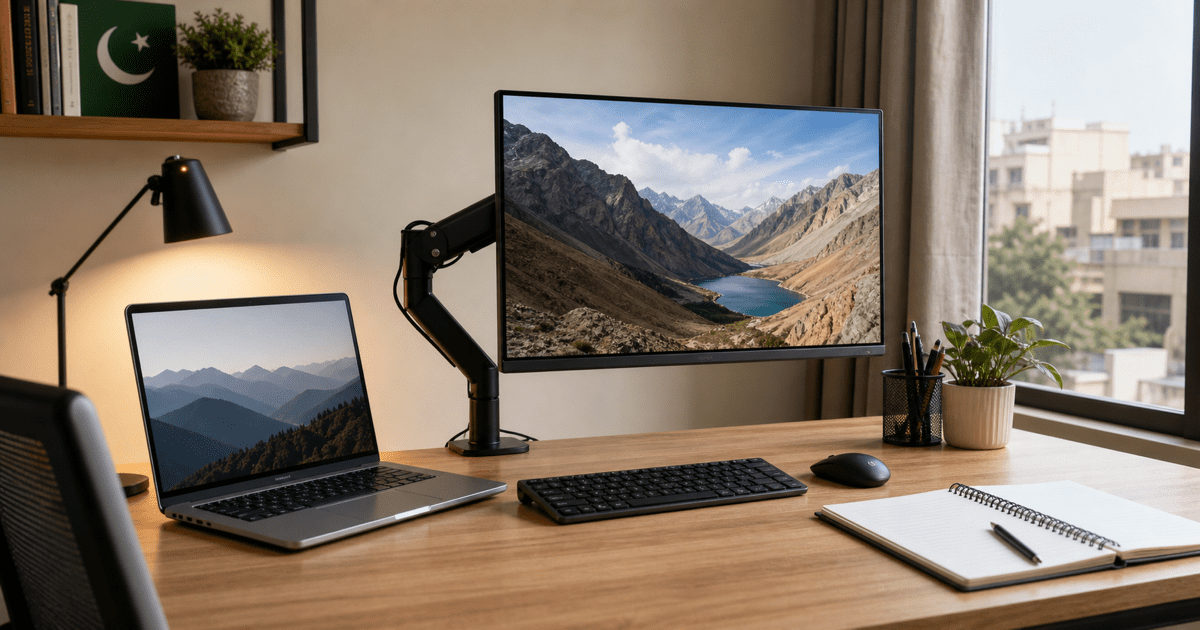
Choosing the best laptop setup for students and office work in Pakistan is not just about buying a laptop. The better question is how to build a practical desk setup that improves productivity, saves space, and stays useful for daily classes, remote work, office tasks, and long study sessions. In Pakistan, many buyers start with a laptop and later realize they also need the right accessories, comfortable desk positioning, and reliable storage.
This guide explains how to build a balanced laptop setup for students, freelancers, and office users in Pakistan. It covers what matters most, what to avoid, and which upgrades actually improve everyday use. If you are searching for a setup that supports commercial value, practical information, and real buying decisions, this article is designed to help before you purchase.
Why a proper laptop setup matters in Pakistan
Many people buy a good laptop but still work in an uncomfortable or inefficient way. A weak desk setup can create clutter, poor posture, limited screen space, and slower daily workflow. For students, this can mean less comfortable study sessions. For office users, it often means lower productivity. A proper setup improves how you type, attend meetings, manage documents, and use multiple accessories.
Pakistani buyers also think carefully about value. A smart setup should not be expensive for the sake of being expensive. The goal is to choose the upgrades that genuinely improve comfort, productivity, and long-term use.
Start with the right laptop for your workload
Your laptop remains the center of the setup, so the first step is matching specifications with your daily work. For office tasks, classes, browsing, Zoom meetings, and documents, a reliable machine with balanced RAM and SSD storage is usually the best choice. If you work with creative software, coding, or heavier multitasking, then stronger processor options become more important.
For example, if you want a premium business-focused laptop, the HP EliteBook 860 G11 Ultra 7 is a strong option for professional productivity. If you prefer a business laptop with balanced value, the HP ProBook 460 G11 Ultra 7 is also worth considering. Buyers interested in Apple performance can explore the Apple MacBook Air M4 13-inch for a lighter premium workflow.
Add a monitor arm to save space and improve posture
One of the most practical upgrades for students and office users is a monitor arm. It lifts the screen to a more comfortable height, creates more desk space, and can make the overall setup feel cleaner and more professional. This matters especially for small rooms, compact study spaces, and home office desks in Pakistan where every inch of space counts.
If you use an external display or plan to add one later, a monitor arm is often a better investment than many cosmetic desk accessories. It can improve neck position, help with screen alignment, and make long work sessions more comfortable. Laptop Square already carries useful options in its monitor arm collection, and buyers can also review products like the adjustable monitor arm depending on desk needs.
Choose storage and accessories that solve real problems
Storage upgrades and practical accessories are where many setups improve the most. Fast SSD storage helps with file access and workflow speed, but external storage also becomes important if you handle assignments, office files, design work, or media projects. A clean setup may also need a better charger, mouse, keyboard, webcam positioning, or USB-C connectivity depending on your laptop model.
The key is to buy accessories that remove friction. If you constantly run out of ports, a better connection strategy matters. If your desk feels crowded, mounting and cable control matter more. If your laptop is strong enough already, the smartest next purchase might be a monitor arm, external drive, or workspace accessory instead of a completely new machine.
Common mistakes to avoid
| Mistake | Why it hurts | Better approach |
|---|---|---|
| Buying only on raw specs | The full setup remains uncomfortable or incomplete | Think about desk use, posture, storage, and accessories too |
| Ignoring desk ergonomics | Long sessions become tiring | Raise screen position and improve viewing comfort |
| Choosing random accessories | Money gets wasted on low-impact items | Buy only what improves daily workflow |
| Not planning for future needs | The setup becomes limiting too quickly | Choose flexible laptop and accessory combinations |
Best laptop setup recommendation for most buyers
For most students and office users in Pakistan, the best setup is a balanced one: a reliable laptop, SSD storage, a comfortable desk position, and one or two meaningful accessories that improve daily use. A good external mouse, a monitor arm, or a practical storage upgrade often creates more everyday benefit than flashy extras.
That is why a smart setup should combine informational intent, commercial intent, and transactional intent. Buyers want to understand what to buy, compare the options available, and then make a confident purchase decision. The right blog content should support all three, not just push a product.
FAQs
What is the best laptop setup for students in Pakistan?
A practical student setup usually includes a reliable laptop, enough RAM and SSD storage, a comfortable desk arrangement, and useful accessories like a monitor arm or external mouse if needed.
Is a monitor arm worth buying for office work?
Yes, a monitor arm can improve posture, free up desk space, and create a cleaner workspace for longer office sessions.
Which is better for office use, HP EliteBook or HP ProBook?
Both can be good options. EliteBook models usually lean more premium, while ProBook models often balance business performance with value.
Can a MacBook be part of a student or office setup?
Yes, if your workflow fits macOS, a MacBook can be an excellent part of a clean and portable productivity setup.
Final thoughts
The best laptop setup in Pakistan is the one that helps you work better every day. A good laptop matters, but the full setup matters too. If you are planning your next upgrade, focus on comfort, practicality, storage, and workspace efficiency instead of buying random extras. You can browse the latest options at Laptop Square and build a setup that stays useful for study, office work, and long-term productivity.